Translations from backend
Description
When using AppEngine, you can define your translation resource files directly in your project plugin. If you created a plugin with CompuTecthe AppEngine Plugin Template, the translation file is already added and registered. Translations require the following to work:
-
The translations file is an XML file with the following structure:
Translations file structure
<?xml version="1.0" encoding="utf-8"?>
<messageTranslations xmlns:xsi="http://www.w3.org/2001/XMLSchema-instance" xmlns:xsd="http://www.w3.org/2001/XMLSchema">

<Message id="[translationID]" param="0">
    <translation lang="[language]" Date="[Translation Adding date]">[Translated text for given Language]</translation>
    <translation lang="[language2]" Date="[YYYY-MM-DDThh:mm:ss]">[Translated text for given Language]</translation>
</Message>

<Message id="[translationID2]" param="0">
    <translation lang="[language]" Date="[Translation Adding date]">[Translated text for given Language]</translation>
    <translation lang="[language2]" Date="[Translation Adding date]">[Translated text for given Language]</translation>
</Message>

</messageTranslations>-
id (translationID) – id that will be used in the UI5 app
-
lang (language) – a translation element for a given language.
List of possible languages
Default
ln_Polish
ln_English
ln_German
ln_Arabic
ln_Chinese
ln_Czech_Cz
ln_Danish
ln_Dutch
ln_Finnish
ln_French
ln_Greek
ln_Hebrew
ln_Hungarian
ln_Italian
ln_Japanese_Jp
ln_Korean_Kr
ln_Norwegian
ln_Portuguese
ln_Portuguese_Br
ln_Russian
ln_Serbian
ln_Slovak_Sk
ln_Spanish
ln_Spanish_Ar
ln_Spanish_La
ln_Spanish_Pa
ln_Swedish
ln_TrdtnlChinese_Hk
ln_Turkish_Tr
ln_Ukrainian -
date (Translation adding date) – Date of adding translations in XSD DateTime format
<YYYY-MM-DDThh:mm:ss>
-
-
Definition of TranslationStreamDelegate in PluginInitializer.

-
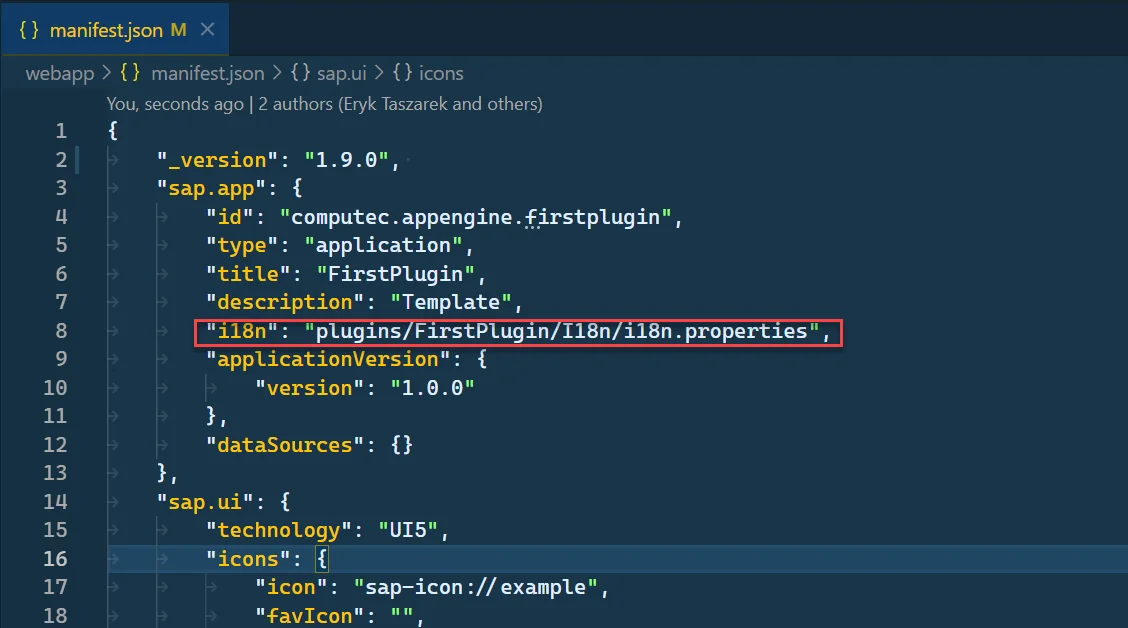
Pointing to backend translation in Plugin manifest.json by adding an i18n element to the sap.app.
"i18n": "plugins/<Plugin Route>/I18n/i18n.properties"-
Plugin Route - The Plugin Route is defined when creating a Plugin from the wizard. You can find this value in the AppEngine plugin manifest.json.
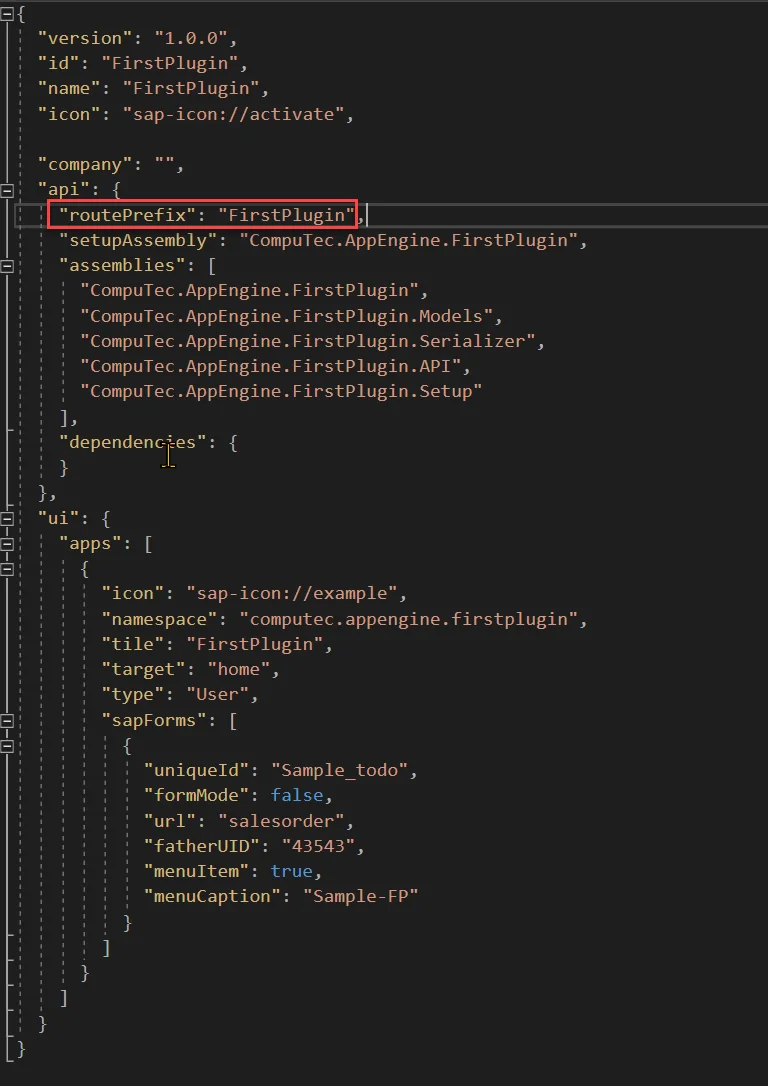
-
Example
-
Using internationalization in UI5 applications
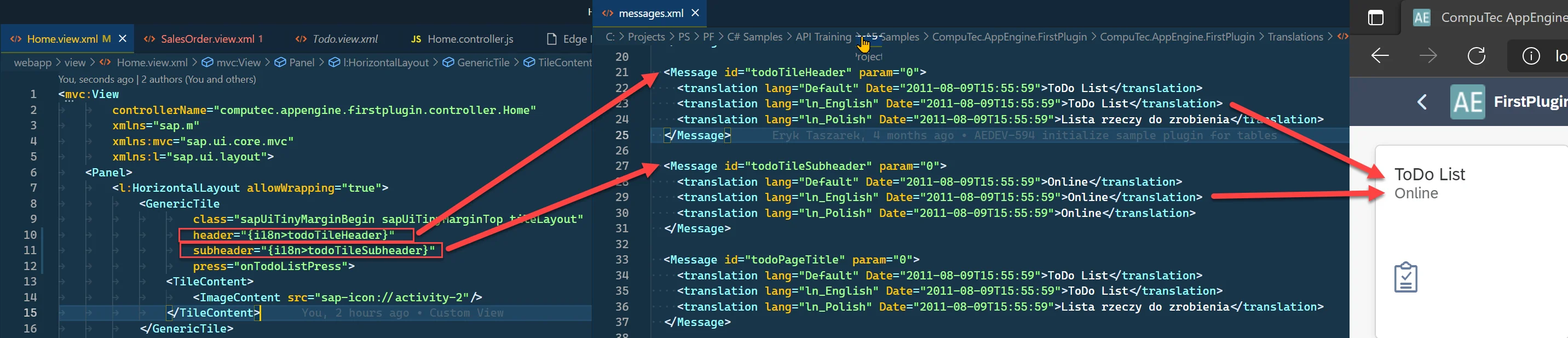
If you created a Plugin Project from the, you can already check translations on Home.view.xml. The following screenshot shows how it works.
- In Home.view.xml file we defined binding for header of Generic Tile to
{i18n>todoTileHeader}and subheder o{i18n>todoTileSubheader}. This is the standard way of defining translations in UI5. - Translations IDs (todoTileHeader, todoTileSubheader) can be found in messages.xml. Based on the selected language (English in this example), the correct text is returned by AppEngine.
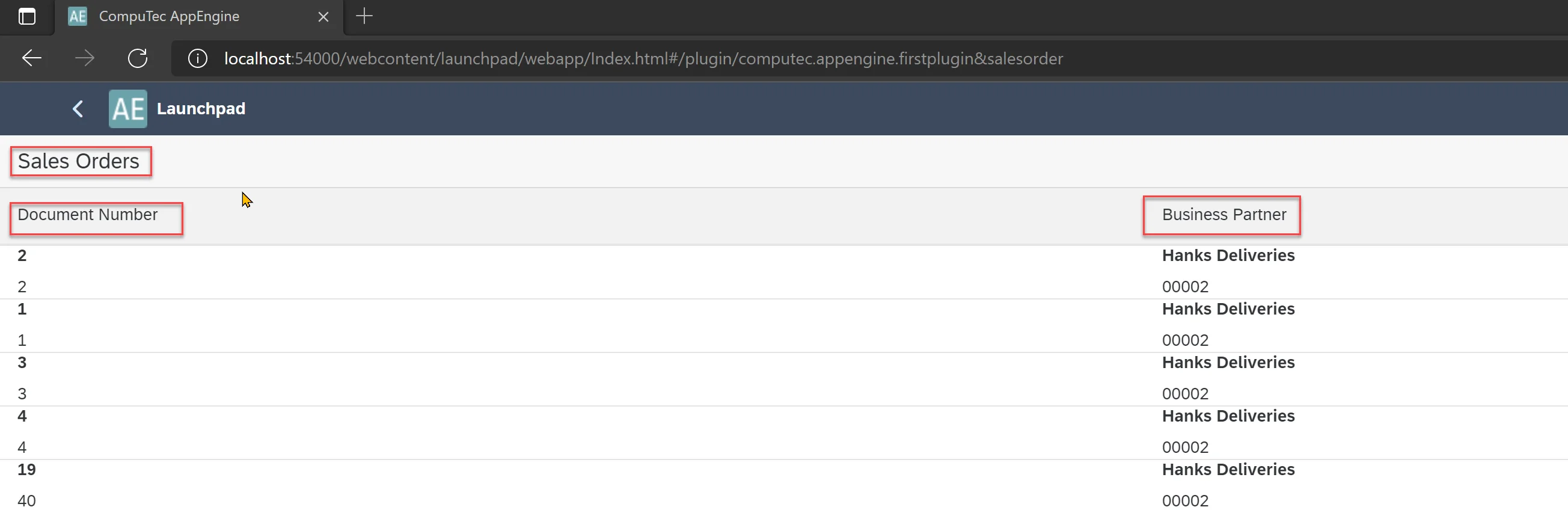
Example of adding a translation to the Sales Orders list
In this example, we will add translations to our example from Creating a Custom View.
-
Let open SalesOrder.view.xml.
-
Now we will change Table Title text and column Texts to use translations:
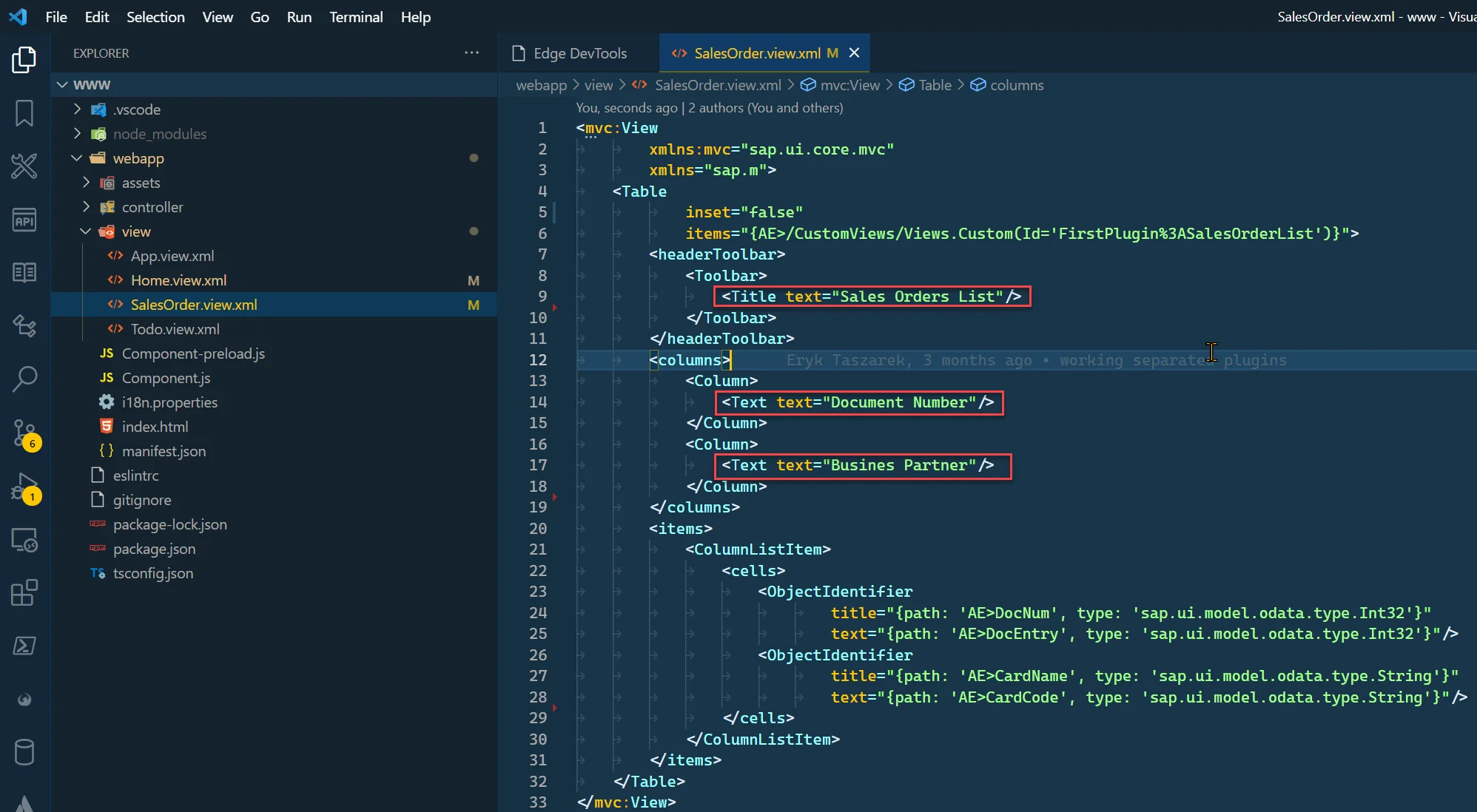
-
To do this we just need to bind this properties to i18n and provide id. We will change
<Title text="Sales Orders List"/>to<Title text="{i18n>salesOrderTableTitle}"/><Text text="Document Number"/>to<Text text="{i18n>salesOrderDocumentNumberColumnLabel}"/><Text text="Busines Partner"/>to<Text text="{i18n>salesOrderBusinessPartnerColumnLabel}"/>
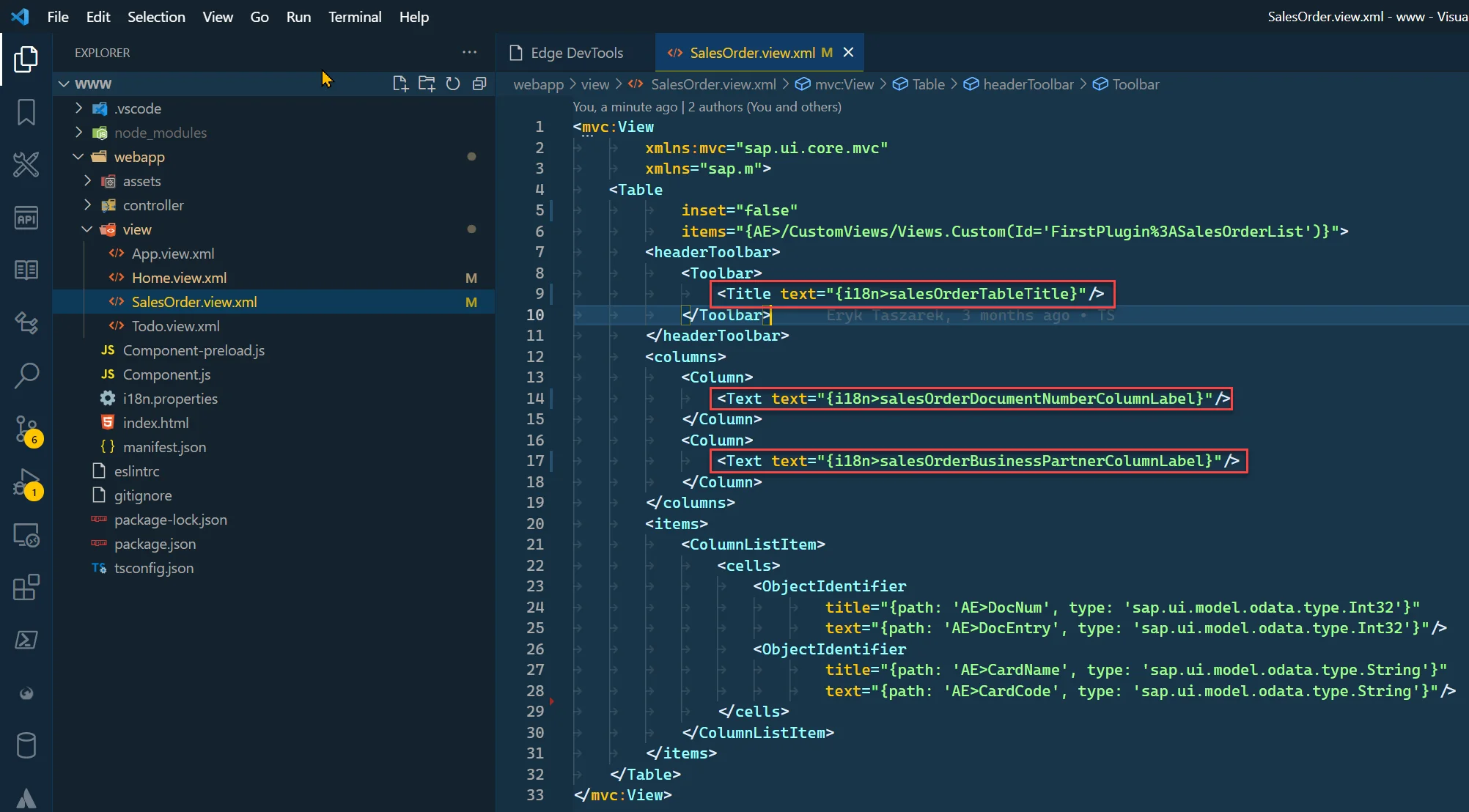
-
Now, we need to add translations for the added translations ID to the messages.xml file.
messages.xml
<Message id="salesOrderTableTitle" param="0">
<translation lang="Default" Date="2011-08-09T15:55:59">Sales Orders</translation>
<translation lang="ln_English" Date="2011-08-09T15:55:59">Sales Orders</translation>
<translation lang="ln_Polish" Date="2011-08-09T15:55:59">Zlecenia sprzedaży</translation>
</Message>
<Message id="salesOrderDocumentNumberColumnLabel" param="0">
<translation lang="Default" Date="2011-08-09T15:55:59">Document Number</translation>
<translation lang="ln_English" Date="2011-08-09T15:55:59">Document Number</translation>
<translation lang="ln_Polish" Date="2011-08-09T15:55:59">Number dokumentu</translation>
</Message>
<Message id="salesOrderBusinessPartnerColumnLabel" param="0">
<translation lang="Default" Date="2011-08-09T15:55:59">Business Partner</translation>
<translation lang="ln_English" Date="2011-08-09T15:55:59">Business Partner</translation>
<translation lang="ln_Polish" Date="2011-08-09T15:55:59">Business Partner</translation>
</Message> -
Now, we need to rebuild the plugin project. Start AppEngine and refresh the plugin to see the changes. (Restart is needed only to refresh messages.xml file).