Requirements
note
CompuTec AppEngine requires .NET Framework to work correctly. The version of the .NET Framework supported by AppEngine is 4.7.
We recommend that you install the latest version of .NET Framework – you can do it using the dedicated tool Windows Update or manually downloading the required files from the Microsoft site.
note
CompuTec AppEngine does not require a SAP Business One application client.
Steps required to perform before installation of CompuTec AppEngine
- Install SAP Business One DI API 64-bit on the client machine.
- Install CompuTec ProcessForce API 64-bit, which selected plugins may require.
- Microsoft ODBC Driver 17 for SQL Server (installed with SAP Business One Client).
- Microsoft SQL Server Native Client 11.0 (installed with SAP Business One Client).
Working with SAP B1 on the HANA database
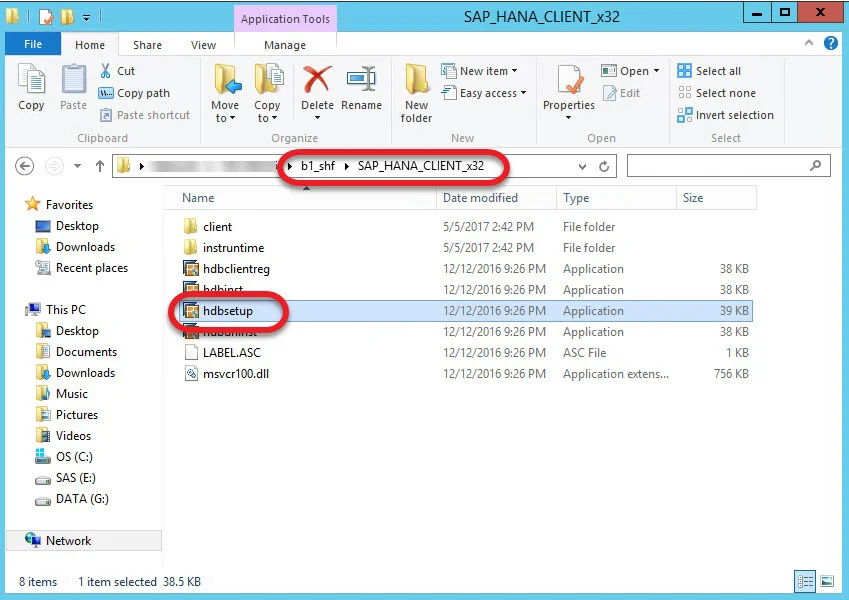
It is required to run hdbsetup.exe installation for proper work of CompuTec AppEngine (without this, databases are not available from the application Settings level).
The file is available in the b1_shf\SAP_HANA_CLIENT_x64 folder on a machine where SAP Business One is installed: